
A website also serves as the digital portfolio of a company, showcasing its services, products, values, and credibility to a global audience. In the digital world, a website is often the first contact point between a business and its audience. Whether someone in the UK is searching for a local accounting service, or a student in Canada is buying a course online, or a tourist in Mexico is booking a hotel, websites create that bridge the gap between users and information. As businesses scale globally across regions like Australia and the Netherlands, understanding websites and their ecosystem becomes essential.
What Are Websites?
A website is a collection of interlinked web pages hosted on a server and accessible through the internet using a URL. These pages contain text, images, videos, forms, animations, and interactive elements that provide information or services to users. Sites can be static (unchanging) or dynamic (content updates regularly). For example, a real estate agency in Australia might use a dynamic website to show updated listings, while a small bakery in the UK may use a simple static webpage to display store hours and menu.
A website isn’t just an online presence of company or organization. It represents-
- Identity – It showcases your brand to a global audience.
- Communication – It lets customers interact with you through forms, chats, or emails.
- Functionality – It offers services like booking, purchasing, learning, or entertainment.
- Credibility – In countries like the Netherlands or Canada, customers often trust businesses with professional websites more than those without.
Types of Websites
Websites has multiple formats depending on business goals. Key types include:
- Personal Websites– The web used by individuals to showcase portfolios, resumes, or blogs.
Example: A Canadian graphic designer showcasing their portfolio. - Corporate Websites– The web used by businesses to share company information, services, and contact details.
- E-commerce Websites– The web used for online shopping and secure payment processing. Example: An Indian fashion brand selling shirts internationally.
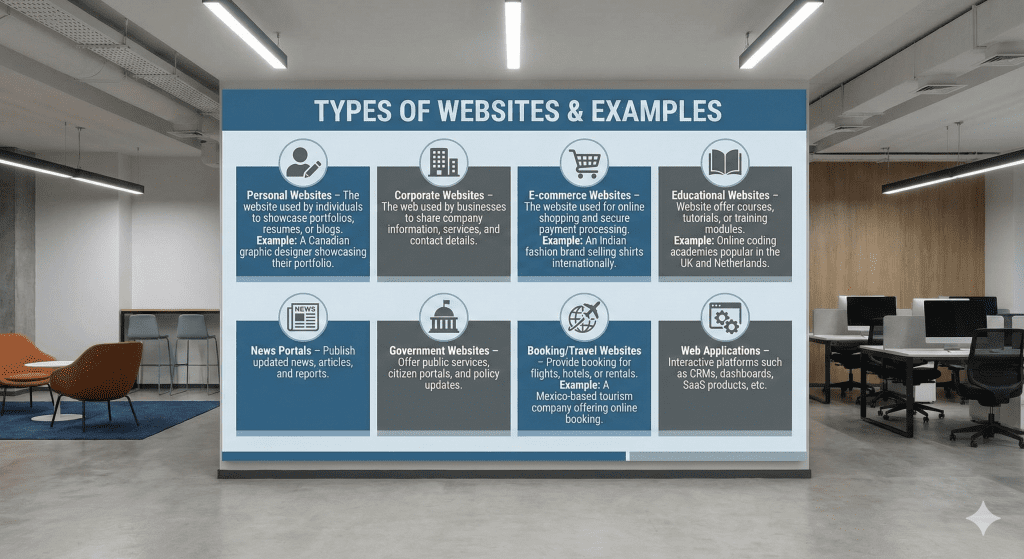
- Educational Websites– Web offer courses, tutorials, or training modules. Example: Online coding academies popular in the UK and Netherlands.
- News Portals– Publish updated news, articles, and reports.
- Government Websites– Offer public services, citizen portals, and policy updates.
- Booking/Travel Websites– Provide booking for flights, hotels, or rentals.Example: A Mexico-based tourism company offering online booking.
- Web Applications – Interactive platforms such as CRMs, dashboards, SaaS products, etc.
Types of Website Technologies
Behind every website lies a combination of technologies that enable functionality and interactivity.
1. Frontend Technologies (Client-side)
These handle user-facing visuals and interactions:
- HTML – Structure of the webpage
- CSS – Styling (colors, layout, fonts)
- JavaScript – Interactivity (animations, forms, sliders)
Frameworks include React.js, Vue.js, Angular, widely used in Tier 1 markets.
2. Backend Technologies (Server-side)
They manage data processing, user authentication, and dynamic content generation.
Common languages include:
PHP – PHP is a widely used server-side language, especially for CMS platforms.
Key Functions:
- Processes form data and interacts with databases like MySQL
- Supports secure login systems with sessions and hashing
- Generates dynamic pages such as product listings or blog posts
- Ideal for business sites and e-commerce.
- Common Uses: WordPress, Magento, Laravel
Python (Django / Flask) – Python is known for clean syntax and robust frameworks.
Key Functions:
- Handles complex data processing easily
- Django offers built-in authentication and admin dashboards
- Generates personalized or real-time content efficiently
- Common Uses: SaaS applications, dashboards, data-driven sites.
Node.js – Node.js allows JavaScript to run on the server, offering high performance.
Key Functions:
- Processes multiple requests simultaneously
- Supports secure authentication using JWT or Passport.js
- Delivers real-time updates such as live chats or notifications
- Common Uses: Live chat apps, delivery platforms, modern APIs.
Ruby (Ruby on Rails) – Rails simplifies development with convention-based architecture.
Key Functions:
- Handles data through its powerful ORM (ActiveRecord)
- Provides easy authentication via gems like Devise
- Generates dynamic and interactive pages quickly
- Common Uses: Marketplaces, startup apps, membership websites.
| Content Management Systems (CMS) Web built without coding rely on CMS tools such as: | Databases: Used to store and manage web data. Popular databases: |
| WordPress | MySQL |
| Wix | PostgreSQL |
| Joomla | MongoDB |
Website Designing vs Website Development
Many people confuse between website designing and website development, but both are distinct functions.
Website Designing is designing focuses on the visual and user experience aspects:
- Layout Structure – The arrangement of elements on a webpage.
- Color Schemes – The selected palette of colors used throughout a website.
- Typography – The style and appearance of text, including fonts and spacing.
- Graphics – Visual elements such as images, icons, and illustrations.
- User Interface (UI) – The visual design and interactive components users engage with.
- User Experience (UX) – The overall ease, satisfaction, and flow of a user’s interaction with a website.
For instance, designing a travel site for customers in Canada requires clear layout elements, easy navigation, and local imagery.
Website Development transforms designs into functional websites. It includes:
- Coding the frontend
- Building backend logic
- Creating databases
- API integrations
- Testing and deployment
In short:
Design = Look & Feel what user see on the device
Development = Logic & Function.
Basic Structure of a Website: Frontend, Backend, Database
A modern website relies on a three-part architecture.
| Frontend is the part users see and interact with: | Backend handles the invisible processes: | 3. Database stores site information: |
| Buttons | User login | User details |
| Images | Form submission | Product catalogs |
| Menus | Order management | Transactions |
| Forms | Data processing | Data Collections/Store |
| Coding used: HTML, CSS, JS | Coding used: PHP, Python, Node.js | Software used: MySQL. |
Domains
A domain is the unique address through which users access your website. Example:
Types of domains:
- .com – Global businesses
- .co.uk – United Kingdom
- .ca – Canada
- .nl – Netherlands
- .com.au – Australia
- .mx – Mexico
- .in – India
Choosing the right domain helps with branding and SEO.
Hosting
Hosting refers to the service that stores your web files and makes them accessible online.
Types of hosting:
- 1. Shared Hosting – Affordable; suitable for small webs.
- 2. VPS Hosting– Virtual Private Server; suitable for medium webs.
- 3. Dedicated Hosting – Full server dedicated to one client; used by high-traffic webs.
- 4. Cloud Hosting– Scalable and fast; popular in Tier-1 countries.
- Providers: Bluehost, SiteGround, Hostinger, AWS, Google Cloud.
Example: A high-traffic e-commerce store in Australia may prefer AWS Cloud hosting for reliability.
cPanel and Admin Panel
| cPanel – A hosting control panel used to manage: | Admin Panel The dashboard of your website Allows you to manage: |
| Website files | Pages |
| Databases | Posts |
| Email accounts | Plugins |
| Security settings | Themes |
| DNS configuration | User roles |
DNS, VPN, Backups
DNS (Domain Name System) – DNS converts domain names into IP addresses so browsers can load webs. Example: When a visitor from Mexico types “hotelbooking.mx”, DNS directs them to the correct hosting server.
VPN (Virtual Private Network) – A VPN (Virtual Private Network) provides secure browsing, protects server access, and allows users to test region-based browsing or view SEO and ad previews for countries like the UK and Canada.
Backup – A backup stores all web data and can restore the site in case of Hacking, Server failure ,Update errors.
All professional sites in Tier-1 markets always maintain automated backups.
Themes
Themes provide the design structure of your web. Most CMS platforms like WordPress come with ready-made themes tailored for industries such as:
- Real estate
- Hotels
- E-commerce
- Portfolio
- Blogs
Example: A Canadian fitness coach may install a health-themed WordPress template and customize it.
SSL Certification – SSL (Secure Socket Layer) encrypts data exchanged between user and server.
Web with SSL show https:// instead of http://.
Benefits:
- Security
- Trust
- Better Google ranking
- Essential for e-commerce
Without SSL, users in the UK, Canada, or Australia will immediately distrust the site and avoid transactions.
The Growing Importance of Websites in the Modern Digital Landscape
As global markets move online, websites have become more than information sources—they serve as a business’s digital identity. They help build trust, authority, and credibility across regions like the UK, Canada, Netherlands, Australia, and Mexico. For many users, a site is the first reflection of a brand’s professionalism.
- Mobile-First Experience – Most users browse through smartphones, so sites must be responsive, fast, and mobile-optimized. Poor mobile design quickly reduces engagement.
- Search Engine Visibility– A well-structured site with clean code, optimized content, SSL, and strong hosting improves SEO performance and supports consistent organic traffic.
- User Trust and Security– SSL certificates, backups, secure logins, and server protections safeguard data. Compliance with regulations like GDPR is essential in regions such as the UK, Canada, and the EU.
- Content Management and Scalability– Modern platforms like WordPress or Shopify allow easy updates, plugin integrations, and future expansion, ensuring the site grows with the business.
- Global Accessibility– A site functions as a 24/7 digital storefront, allowing customers from different time zones—Melbourne to Amsterdam—to access information anytime.
- Brand Presentation and User Engagement– Themes, layouts, typography, and UX shape how users perceive a brand. A clean, visually appealing website improves trust, engagement, and conversions.
Conclusion
In today’s global digital landscape, a website is far more than just a digital business card. It is a powerful tool that enables businesses in the UK, Canada, Netherlands, Australia, Mexico, USA, India and beyond to connect with audiences, offer services, and build credibility. The fundamentals—what webs are, how they work, the technology behind them, domains, hosting, design vs. development, themes, SSL, DNS, cPanel, and PHP-empowers businesses to create strong digital foundations. What is SEM?
Whether you are building a personal site, an e-commerce platform, or a global service portal, this knowledge ensures that your web is secure, scalable, and aligned with global standards.